500错误,刷新之后404
来源:2-10 验证Controller

Mzdora
2020-09-04
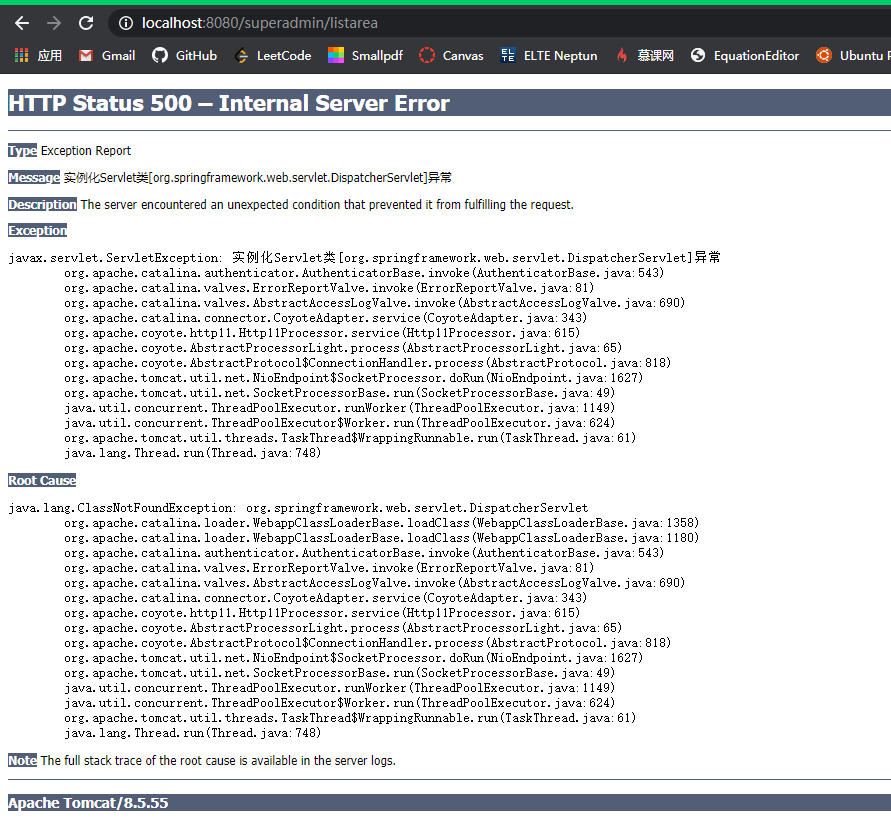
但是刷新之后就变成了 404
但是访问根目录没有任何问题,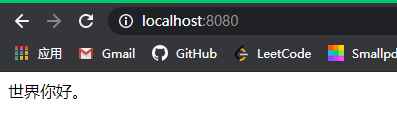
检查过web.iml的配置了,感觉应该没问题
<?xml version="1.0" encoding="UTF-8"?>
<web-app xmlns="http://xmlns.jcp.org/xml/ns/javaee" xmlns:xsi="http://www.w3.org/2001/XMLSchema-instance"
         xsi:schemaLocation="http://xmlns.jcp.org/xml/ns/javaee
                      http://xmlns.jcp.org/xml/ns/javaee/web-app_3_1.xsd"
         version="3.1" metadata-complete="true">
    <servlet>
        <servlet-name>spring-dispatcher</servlet-name>
        <servlet-class>org.springframework.web.servlet.DispatcherServlet</servlet-class>
        <init-param>
            <param-name>contextConfigLocation</param-name>
            <param-value>classpath:spring/spring-*.xml</param-value>
        </init-param>
    </servlet>
    <servlet-mapping>
        <servlet-name>spring-dispatcher</servlet-name>
        <!-- 默认匹配所有的请求 -->
        <url-pattern>/</url-pattern>
    </servlet-mapping>
</web-app>
jar包也正确导入了,spring-web的路径也没问题。
<?xml version="1.0" encoding="UTF-8"?>
<beans xmlns="http://www.springframework.org/schema/beans"
       xmlns:xsi="http://www.w3.org/2001/XMLSchema-instance" xmlns:context="http://www.springframework.org/schema/context"
       xmlns:mvc="http://www.springframework.org/schema/mvc"
       xsi:schemaLocation="http://www.springframework.org/schema/beans
    http://www.springframework.org/schema/beans/spring-beans.xsd
    http://www.springframework.org/schema/context
    http://www.springframework.org/schema/context/spring-context.xsd
    http://www.springframework.org/schema/mvc
    http://www.springframework.org/schema/mvc/spring-mvc-3.2.xsd">
    <!-- 配置SpringMVC -->
    <!-- 1.开启SpringMVC注解模式 -->
    <mvc:annotation-driven />

    <!-- 2.静态资源默认servlet配置 (1)加入对静态资源的处理:js,gif,png (2)允许使用"/"做整体映射 -->
    <mvc:resources mapping="/resources/**" location="/resources/" />
    <mvc:default-servlet-handler />

    <!-- 3.定义视图解析器 -->
    <bean id="viewResolver"
          class="org.springframework.web.servlet.view.InternalResourceViewResolver">
        <property name="prefix" value="/WEB-INF/html/"></property>
        <property name="suffix" value=".html"></property>
    </bean>

    <!-- 4.扫描web相关的bean -->
    <context:component-scan base-package="com.mzdora.o2o.web" />
</beans>
不知道问题出在哪。
写回答
1回答
-
同学好,clean一下tomcat试试?404的问题,看看你的controller代码里面有没有配置相关的路由,然后看看你的控制台有没有报错,并且看看你本地的eclipse是否已经和maven联通,
https://www.cnblogs.com/pengyan-9826/p/7767070.html
同时maven有没有设置上阿里云的镜像
https://www.cnblogs.com/mfcfine/p/9126887.html
有时候虽然你的jar是配置没问题,但是有可能maven下载超时,但是只下载了部分的jar结果还显示正确呢
012020-09-10