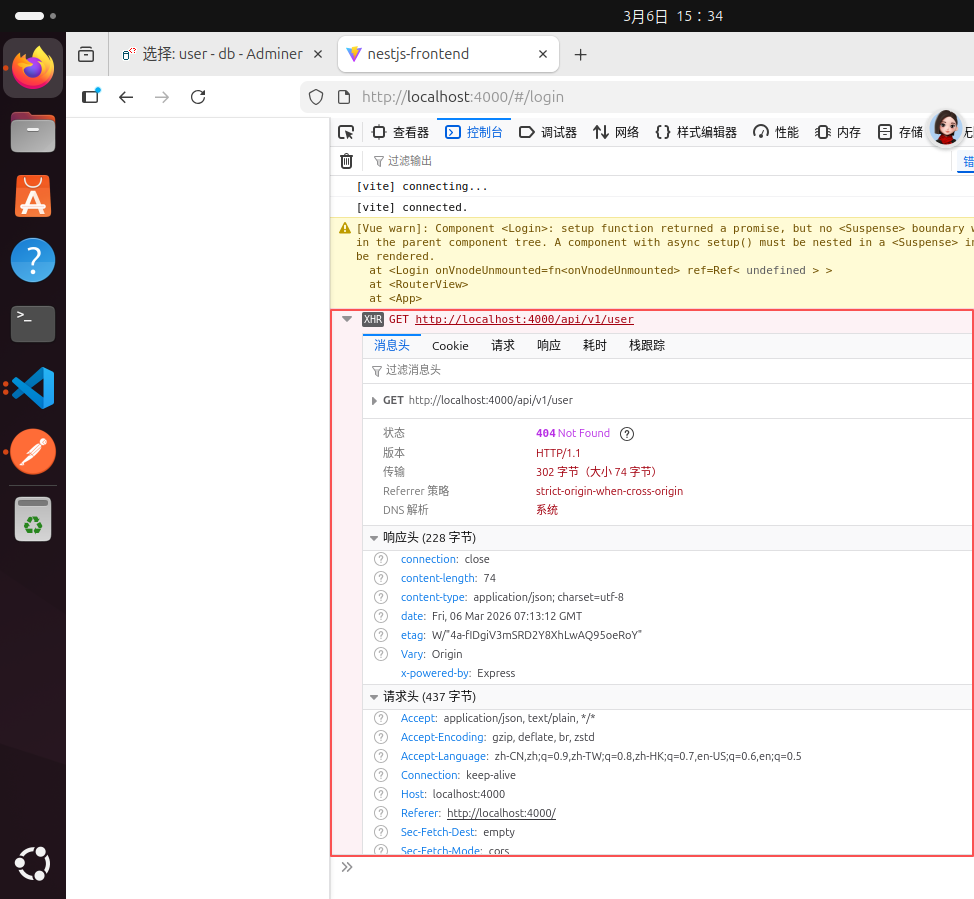
为什么跟着老师写的一模一样的代码,我这里报错,而没有显示老师课程视频中的内容
来源:10-2 好用到飞起的前端HTTP Client:请求库Axios封装

weixin_慕沐7242095
2026-03-06
代码地址:https://gitee.com/dongguan-jingguang-express_0/nestjs-frontend.git
为什么跟着老师写的一模一样的代码,我这里报错(见上图),而没有显示老师课程视频中的内容(见下图)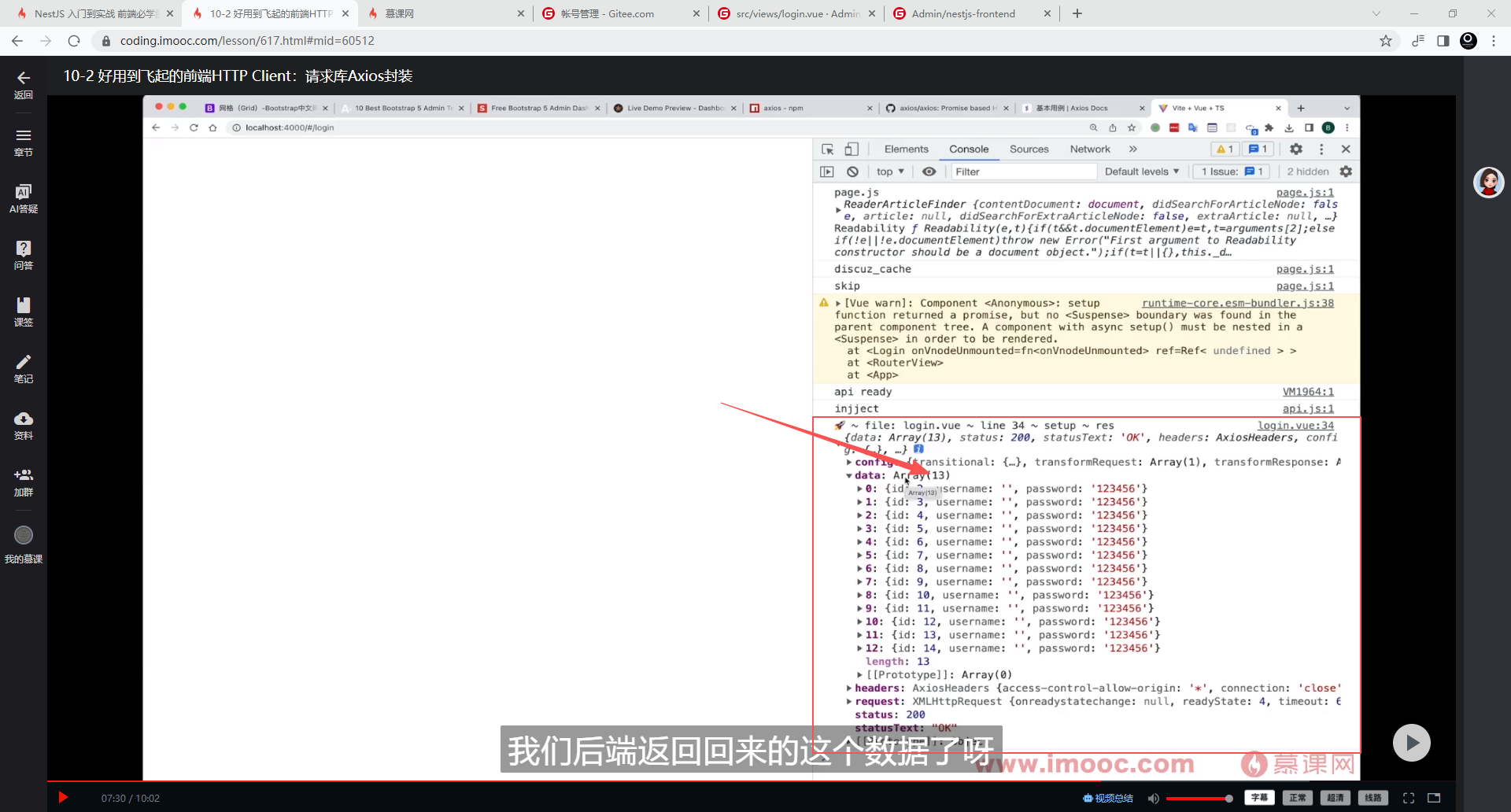
2回答
-

Brian
2026-03-06
用户创建接口相关的视频在:https://coding.imooc.com/lesson/617.html#mid=60950
00 -
Brian
2026-03-06
你传的是前端代码,
图片中我演示的时候,拖动添加了测试数据的;
接口测试数据可以有2种办法:
1. 通过接口提交
相关代码部分:
https://git.imooc.com/coding-617/nestjs-lesson/src/main/src/user/user.entity.ts 需要定义用户结构
https://git.imooc.com/coding-617/nestjs-lesson/src/main/src/user/user.controller.ts#L99 使用post工具,请求接口 /api/v1/user,提交部分测试数据,
2. 通过adminer管理 localhost:8080, 相关的docker配置如: https://git.imooc.com/coding-617/nestjs-lesson/src/main/docker-compose.yml#L30 ,如果你已经使用docker运行了该环境,docker ps查看一下,是否监听在8080端口,然后访问 localhost:8080,连接数据库,直接手动添加几条测试数据即可。
00
相似问题