无法安装reactNative
来源:3-3 .React Native网络编程之Fetch精讲

回环攒若
2025-11-04
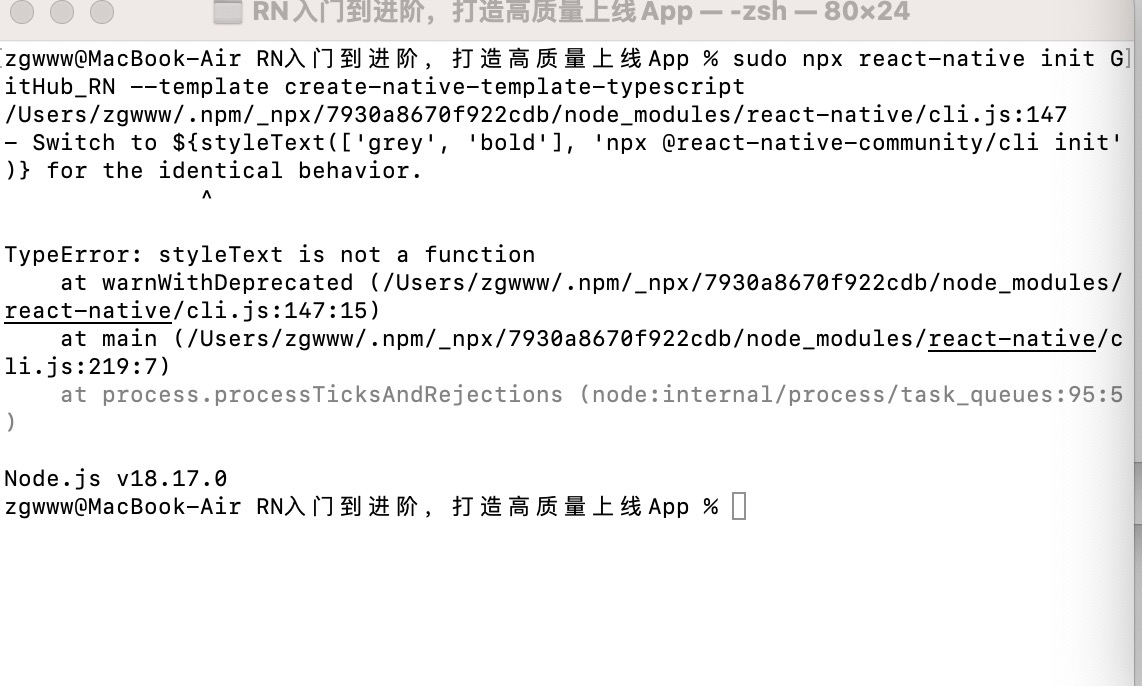
RN入门到进阶,打造高质量上线App % sudo npx react-native init GitHub_RN --template create-native-template-typescript
/Users/zgwww/.npm/_npx/7930a8670f922cdb/node_modules/react-native/cli.js:147
- Switch to ${styleText([‘grey’, ‘bold’], ‘npx @react-native-community/cli init’)} for the identical behavior.
^
TypeError: styleText is not a function
at warnWithDeprecated (/Users/zgwww/.npm/_npx/7930a8670f922cdb/node_modules/react-native/cli.js:147:15)
at main (/Users/zgwww/.npm/_npx/7930a8670f922cdb/node_modules/react-native/cli.js:219:7)
at process.processTicksAndRejections (node:internal/process/task_queues:95:5)
Node.js v18.17.0
写回答
1回答
-

CrazyCodeBoy
2025-11-09
解决步骤
1. 卸载全局的 React Native CLI (可选,但推荐)
虽然你使用的是 npx,但旧的全局安装仍可能引起冲突。最好先清理一下:
npm uninstall -g react-native
npm uninstall -g react-native-cli
如果你使用了 Yarn,也运行类似的命令:
yarn global remove react-native
yarn global remove react-native-cli
2. 使用最新的推荐命令初始化项目
如错误信息中提示的那样,npx react-native init 命令已被弃用。请使用 @react-native-community/cli 命名空间下的新命令来代替。
将你的原始命令:
sudo npx react-native init GitHub_RN --template create-native-template-typescript00
相似问题